A birthday verse with sound
Lyrics from the AI lyrics writer, your own lines or a ready-made birthday verse, with a backing beat and lip-synced vocals generated together with the picture.
Occasion · Birthday
This birthday rap video maker turns two photos into a birthday rap song you can watch: the two of you on a party stage, rapping a verse about the birthday person with a beat and lip sync. Add their name and a few fun facts, and AI writes the lines.
Upload your photos below and your birthday rap video renders here, on the stage shown in the samples.
Real sample · Same pipeline
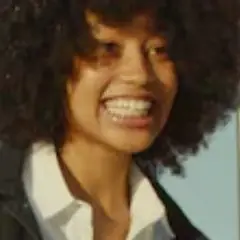
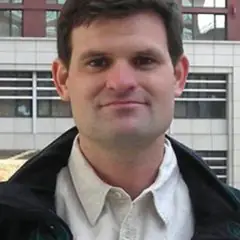
The two photos that went in, each step, the exact settings, 5 frames and every line rapped.
One clear photo of each person.
Birthday Roast, plus four original lines.
Lip sync, moves and an original beat, made together. Usually takes about 5 minutes.
The lyrics are burned in as subtitles and the volume is evened out to -14 LUFS.
A 720×1280 vertical video with sound.
Tap a frame to jump to that moment in the video.
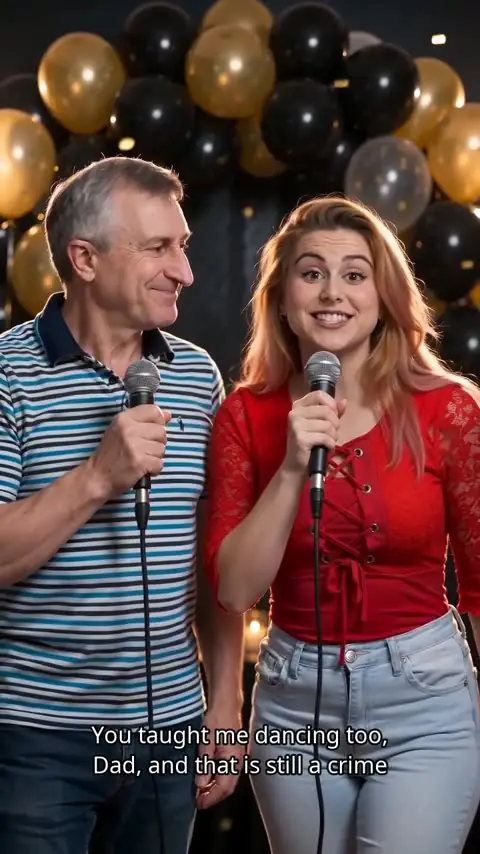
Shown exactly as rapped in the sample. Your video gets its own lines, made from your topic or written by you.
This sample went through the same pipeline as the creator: the same model tier, settings and subtitle rendering. Your video is made fresh from your photos and lines, so faces, moves and details will differ.
Everything below is decided in the creator above, before you render.
Lyrics from the AI lyrics writer, your own lines or a ready-made birthday verse, with a backing beat and lip-synced vocals generated together with the picture.
8, 12 or 15 seconds, in 9:16, 1:1 or 16:9. The creator only offers the combinations your account can use.
The video opens on its own page and stays in My videos, where you can download it, send it to your phone or share it as a gift link.
The Birthday Roast stage: tease them a little, then raise a toast.
Every birthday rap video on this page uses the Birthday Roast stage: black and gold balloons, amber party lights and a little gold confetti behind the two people from your photos. The camera stays on the two of you in one steady shot, so the faces and the words carry the video.
The verse is where it becomes personal. A good birthday rap song names the person, teases one or two habits everyone knows, and ends warm. The AI lyrics writer in the creator works that way: give it the name and the fun facts, choose a vibe, and keep the lines that sound like your friends.
Want more takes before you render? Draft them with the free birthday rap generator, then paste your favourite lines into the creator.
The steps match the numbered parts of the creator at the top of this page.
Use two separate photos, one person each, or switch to one photo with both people in it. The upload box checks each photo and tells you which one to replace if it cannot be used.
Tap “Write lyrics with AI”, type the birthday person’s name and two or three fun facts, and tick the lines you like. Or paste up to 8 lines of your own, in English or Chinese.
Pick the length, frame and quality, confirm that you may use the photos, and render. The button shows the cost before anything is charged.
If your account has enough credits, they are charged when the render starts and the full video is yours. If not, and the creator offers it, you can keep one unpaid video, watch a short watermarked preview, and unlock the full file later with credits or a one-time payment.
Specific beats generic. Give the lyrics writer the name and details like these.
Two jokes, then a warm last line. Fun facts idea: “always late, still can’t dance, best friend since school.”
Two friends speak for everyone. Fun facts idea: “never answers the group chat, always first to the party.”
For a 30th, 40th or 50th. Fun facts idea: “turning 40, still runs on coffee, still the DJ at every party.”
Send a verse when you cannot be there. Fun facts idea: “moved abroad this year, misses our Sunday dinners.”
Rather let them make their own? You can gift a rap video instead.
Two adults perform: use two photos with one person each, or one photo of both.
Use sharp photos where each face fills a good part of the frame. Small, blurry or heavily filtered faces lose detail on the stage.
Faces looking roughly at the camera give the most natural lip sync. Strong side profiles make the mouth hard to follow.
Soft daylight or warm indoor light matches the amber party lights. Hard shadows across the face make the result less clear.
Avoid hands, cake, microphones or big sunglasses over the mouth and eyes. The lip sync needs to see the mouth.
Everyone pictured must be 18 or older, and you need permission to use each photo. Read the terms of service and the privacy policy for how photos are handled.
A clear line between what the birthday stage makes and what it never claims.
FAQ
Short answers about names in the verse, your photos, sending it and what this page does not promise.
Here it is a short music video made from two photos: the two people in them stand on a birthday stage and rap a birthday verse, with a beat and lip sync. The lyrics, the beat and the stage are generated for each video, so it works as a birthday rap song you can watch and send.
Yes, if the name is in the lyrics. Open “Write lyrics with AI” in the creator: it starts on Birthday rap, where you type the name and a few fun facts, then tick the lines you want. A topic on its own gives a ready-made birthday verse that does not mention anyone by name.
No. The two people in the photos perform, so it can be you and a friend rapping for someone else, or the birthday person and a friend. Everyone pictured must be 18 or older and agree to appear.
No. The beat and the melody are newly generated for each video, not a recording or tune of an existing song. Write your own words or let the lyrics writer draft them.
The finished video opens on its own page and stays in My videos. You can download it, send it to your phone, or turn on a share link and send it as a gift, which opens with a gift reveal before the video plays.
A 12-second video usually takes about five minutes from start to finished file. This page does not set a price: the creator shows the credit cost next to the render button before anything is charged.
Outside references for the music and photo rules above.
Copyright gives owners exclusive rights over musical works and sound recordings, which is why the video uses newly written lyrics and a newly generated beat instead of an existing song.
The right of publicity covers commercial use of a person’s name and likeness, one reason everyone pictured must agree to the video.
Add your photos and render the birthday stage.
Back to the creator